How to Fill Out a PDF Form for Free — No Adobe Needed
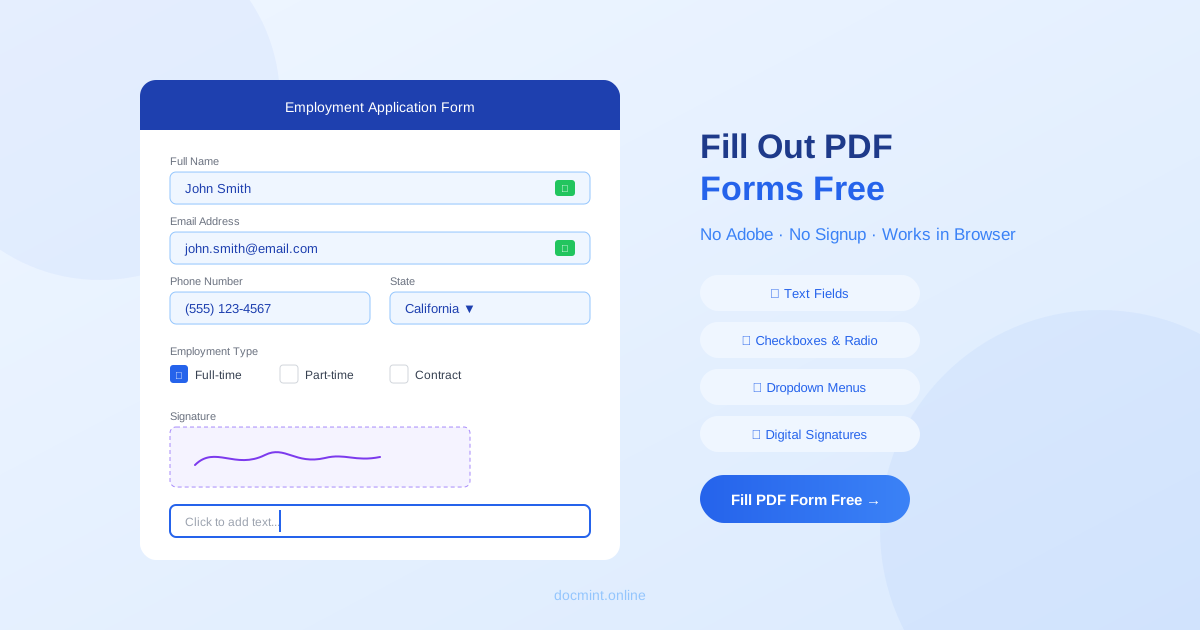
Quick answer: Use DocMint's Fill PDF Form tool to fill out any PDF form for free — text fields, checkboxes, signatures, all in your browser with no signup required.
Why Fill PDF Forms Without Adobe?
Adobe Acrobat Pro costs $15–$25/month just to fill out PDF forms. But you don't need it. Free online tools like DocMint let you complete any PDF form — job applications, tax forms, contracts, medical forms — without paying a cent or installing software.
Common PDF forms people need to fill:
- Job applications and employment forms
- Tax forms (IRS, state tax documents)
- Medical intake forms and patient paperwork
- Rental applications and lease agreements
- Bank and financial forms
- Government forms and permits
Types of PDF Forms You Can Fill
Fillable PDF Forms (Interactive)
These PDFs have built-in form fields that you can click and type into. They include:
- Text fields: Name, address, phone number, email
- Checkboxes: Yes/no options, multiple choice
- Radio buttons: Single-choice selections
- Dropdown menus: State selection, date pickers
- Signature fields: Digital signature areas
Flat PDFs (Non-Fillable)
Some PDFs are just scanned images or flat documents with no form fields. DocMint lets you add text overlays anywhere on these documents, effectively turning them into fillable forms.
Step-by-Step: Fill Out a PDF Form for Free
- Go to DocMint Fill PDF Form — no account needed
- Upload your PDF form (drag & drop or click to browse)
- Click on each form field to fill it:
- Text fields: Click and type
- Checkboxes: Click to check/uncheck
- Dropdowns: Click to select an option
- Signatures: Draw, type, or upload your signature
- Review all your entries
- Click Download to save your completed form
Privacy tip:
DocMint processes your PDF form entirely in your browser. Your data — including tax info, SSN, medical details — never leaves your device. Safe for sensitive documents.
Filling Different Field Types
Text Fields
Click on any text field and start typing. You can adjust font size if needed for fields with limited space. Tab moves to the next field.
Checkboxes and Radio Buttons
Click once to select, click again to deselect. For radio buttons, only one option can be selected per group.
Dropdown Menus
Click the dropdown arrow to see all options, then click your choice. Common for state selection, date fields, and preset options.
Signature Fields
DocMint offers three ways to sign:
- Draw: Use your mouse or touchscreen to draw your signature
- Type: Type your name in a styled signature font
- Upload: Upload an image of your signature
Common PDF Form Problems Solved
Problem: PDF Won't Let Me Type
Solution: The PDF is likely a flat scan with no form fields. Use DocMint's text overlay feature to add text anywhere on the page.
Problem: Form Fields Are Too Small
Solution: Reduce font size in the field, or use the text overlay tool to place text outside the field boundary.
Problem: Can't Save Filled Form
Solution: Some PDF viewers don't save form data. Use DocMint to fill and download — the data is permanently saved in the new PDF.
Problem: Form Requires a Signature
Solution: Use DocMint's built-in signature tool, or use the dedicated Sign PDF tool for more signature options.
Fill PDF Forms vs Other Tools
| Feature | DocMint | Adobe Acrobat | Preview (Mac) |
|---|---|---|---|
| Free | ✅ Always | ❌ $15–25/mo | ✅ |
| No signup | ✅ | ❌ | ✅ |
| Works on any device | ✅ Browser | ✅ App | ❌ Mac only |
| Privacy (no upload) | ✅ | ⚠️ Cloud | ✅ |
| Add signatures | ✅ | ✅ | ✅ |
Related Tools
- Sign PDF — add electronic signatures to any PDF
- Protect PDF — password protect your completed forms
- Compress PDF — reduce file size before emailing
FAQ
Can I fill out a PDF form for free?
Yes. DocMint's Fill PDF Form tool is completely free with no signup required. You can fill text fields, checkboxes, radio buttons, and dropdown menus in any PDF form — all in your browser.
How do I fill out a PDF form without Adobe?
Use DocMint's free online PDF form filler. Upload your PDF, click on form fields to fill them, then download the completed form. No software installation needed.
Can I save a filled PDF form?
Yes. After filling out the form, click Download to save the completed PDF to your device. All your entered data is preserved in the file.
What types of PDF forms can I fill?
DocMint supports fillable PDF forms with text fields, checkboxes, radio buttons, dropdown menus, and signature fields. It also works with flat PDFs where you can add text overlays.
Is my form data secure?
DocMint processes your PDF entirely in your browser. Your form data is never sent to any server — it stays on your device. This makes it safe for tax forms, job applications, and other sensitive documents.